Activities and Service Activities
Know when to use standard activities, when to use support activities, and how time rollups work.
Purpose
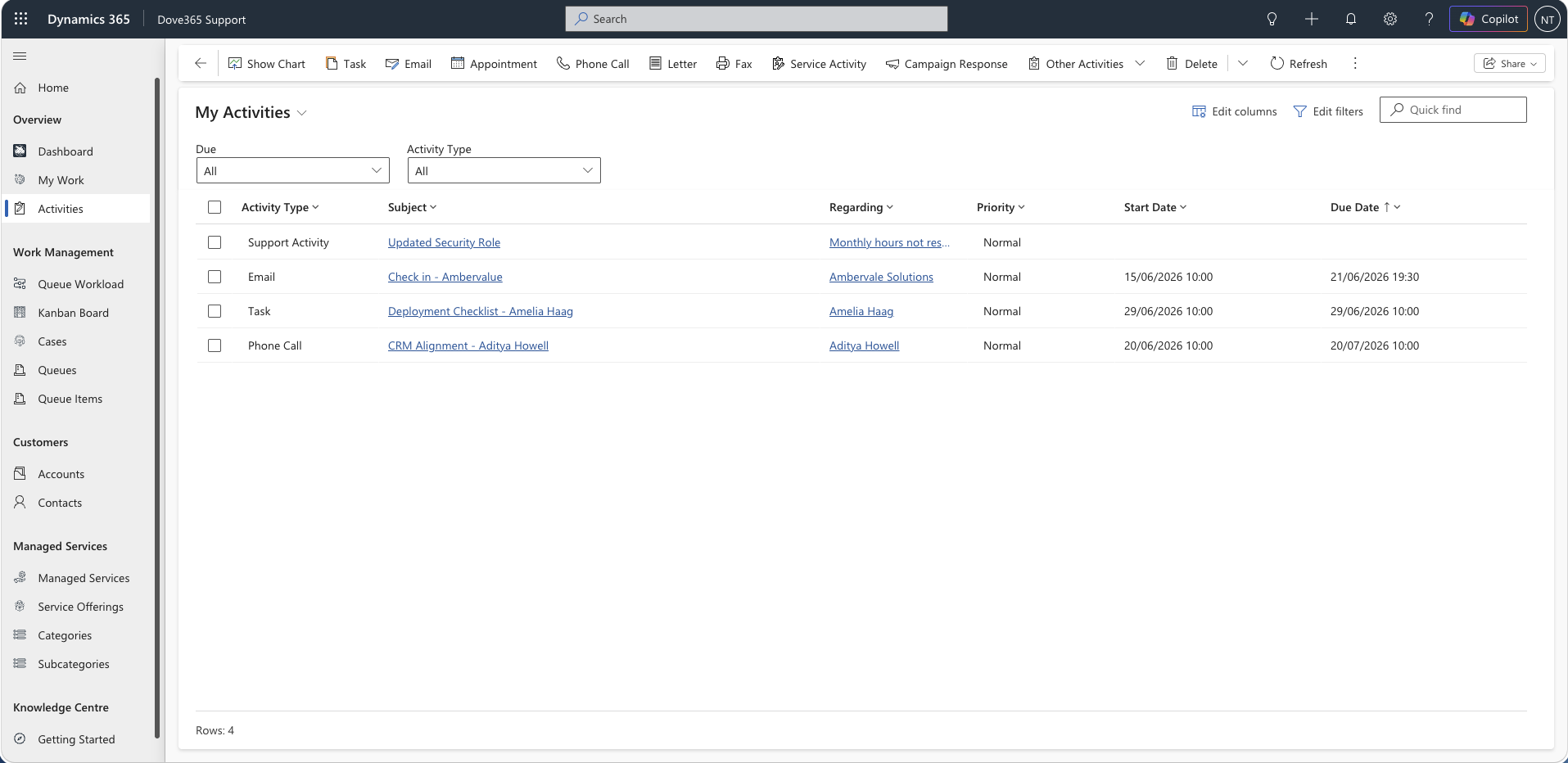
Activities and Support Activities record work and communication around customers and Cases.
Standard Dataverse activities include tasks, appointments, phone calls, and emails. Dove365 Support Activities are used to record support work and hours against Cases.
When to use standard activities
Use standard activities for:
- Follow-up tasks.
- Calls.
- Meetings.
- Emails.
- Customer reminders.
These activities appear in dashboards when they are open, owned by the user, and have a scheduled end date.
When to use Support Activities
Use Support Activities when recording support work against a Case, especially where time should contribute to Managed Service usage.
Examples:
- Investigation time.
- Customer troubleshooting.
- Configuration work.
- Remote support session.
- Resolution work.
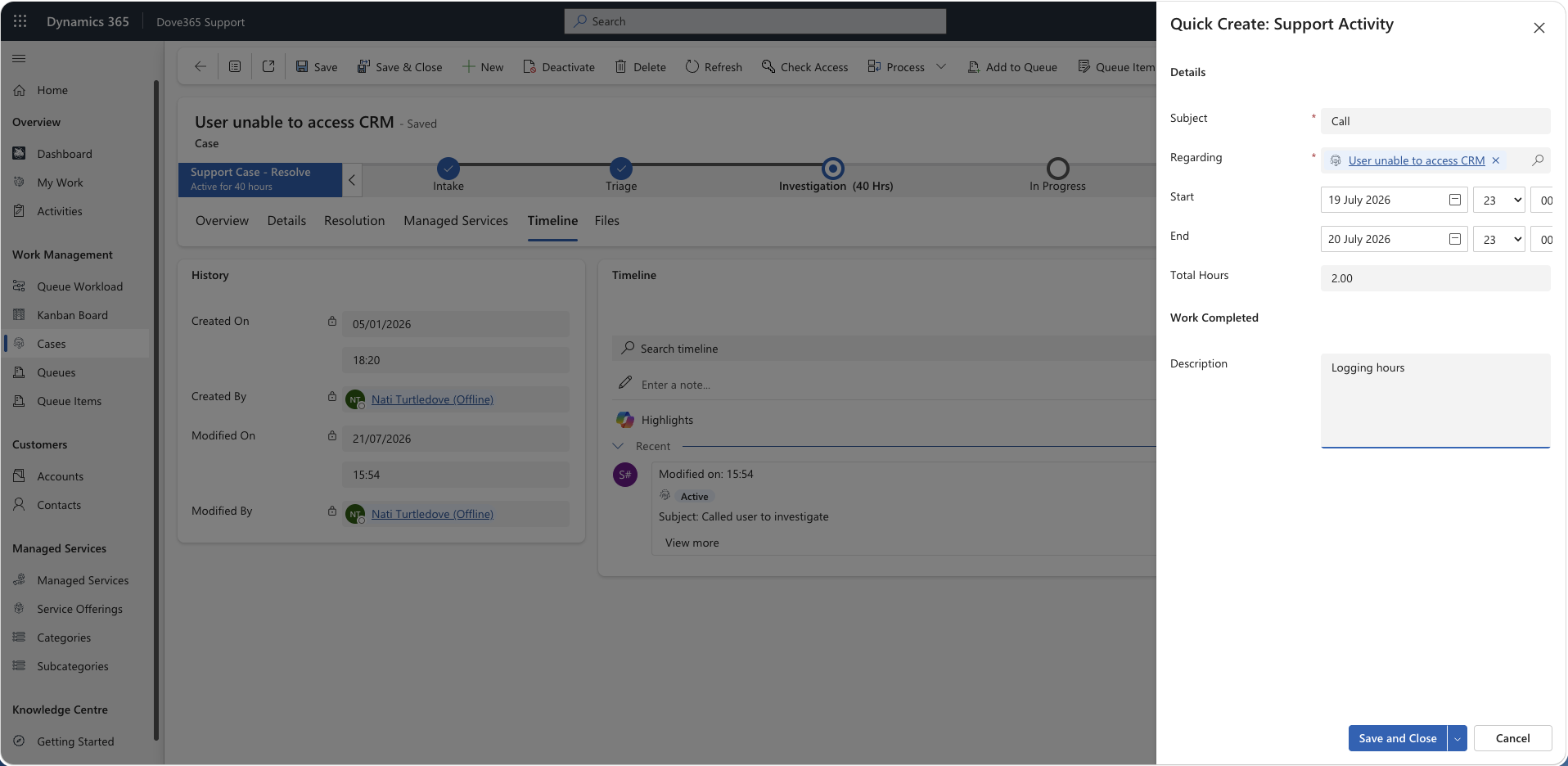
Creating a Support Activity
Steps:
- Open the Case.
- Open related Support Activities.
- Select New Support Activity.
- Enter the subject or activity description.
- Enter hours or time spent.
- Enter start and end details where required.
- Save.
This is the manual route. In practice most users create Support Activities with the time tracker on the Case form instead, which fills in the subject, start, end, duration and hours for you.
Logging time with the tracker
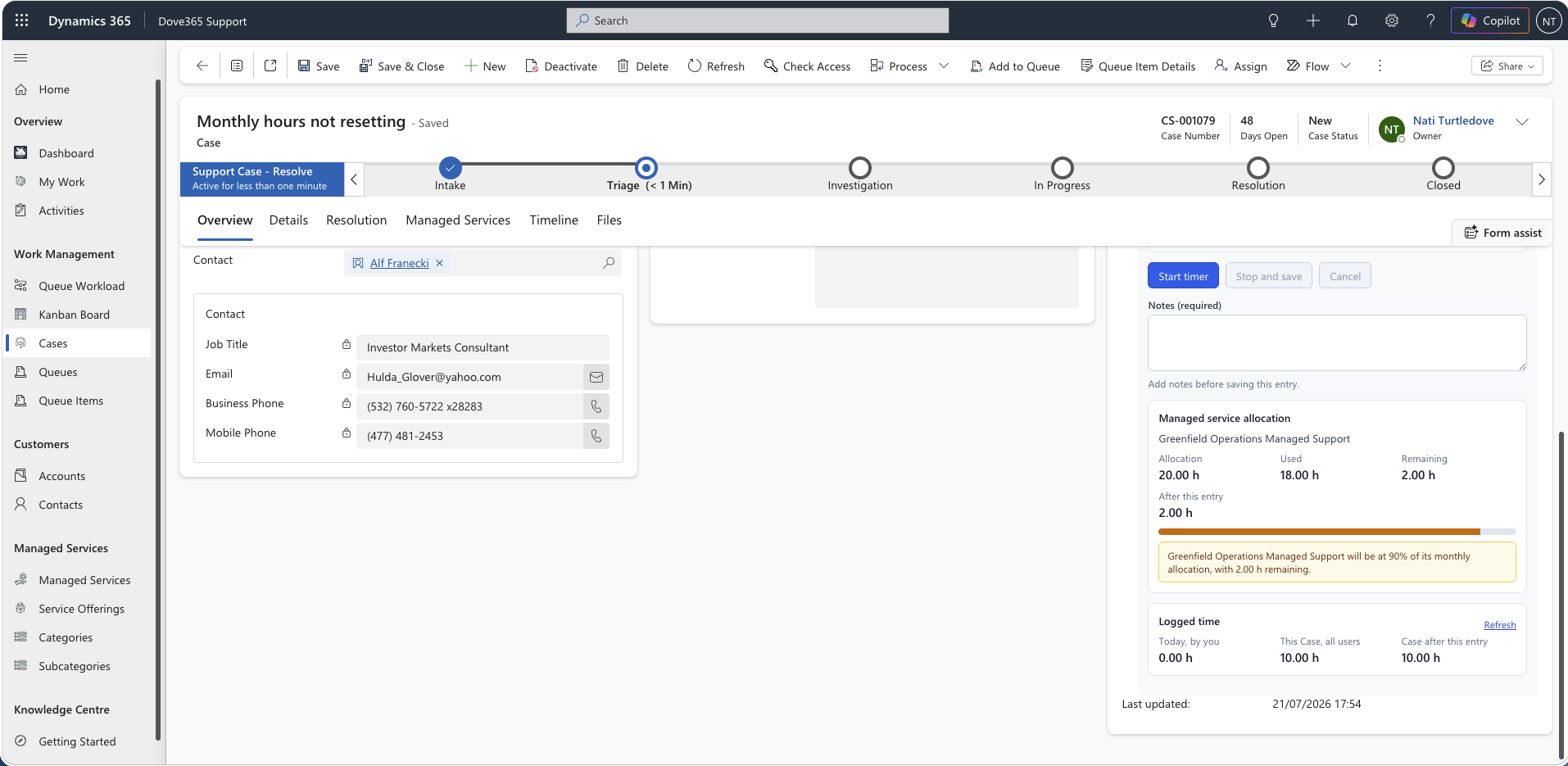
The Support Activity Time Tracker sits on the Case form. Start the timer when you begin work, pause and resume as you move between tasks, then Stop and save.
On stop, the tracker writes a completed Support Activity against the Case and refreshes two totals: how much you have logged today, and how much has been logged against the Case altogether.
- Time is rounded to the nearest 15 minutes by default, with exact halves rounded up.
- Any non-zero session is lifted to the minimum chargeable duration, so a three minute call saves as 15 minutes rather than zero.
- Paused time is never counted.
- The running timer survives a form reload or a closed tab, because it is held in browser storage keyed by user and Case.
- No standard Task, Appointment or Phone Call record is created — only a Support Activity.
Where the Case is linked to a Managed Service, the tracker warns you before saving if the time would take the allocation past its warning threshold or over its limit. The warnings are advisory and never block the save.
Rollup of hours
Support Activity hours are aggregated against the related Case and Managed Service.
The plugin Dove365.Support.Plugins.AggregateManagedServicesHours runs on Support Activity create, update, and delete.
Interpretation:
- Adding a Support Activity can increase hours used.
- Updating hours can adjust usage.
- Deleting a Support Activity can reduce usage.
- Managed Service remaining hours and usage percentage depend on accurate Support Activity data.
Working with timeline
Use the timeline to understand communication history and recent actions.
Best practice:
- Keep customer-facing communication clear.
- Use Support Activities for time-bearing work.
- Use standard activities for reminders and scheduling.
Best practice
- Log work as soon as it is completed.
- Do not wait until Case closure to add all hours.
- Use clear notes so another user can understand the work performed.
- Confirm hours before resolving the Case.
Continue learning
Daily Support Workflow
Follow the practical sequence for dashboards, queues, cases, activities, and managed service checks.
Admin and Configuration
Open the related Dove365 Support guide for the next part of this workflow.
Need help with Dove365 Support configuration?
Book a free call and get your questions answered directly by Dove365.