Managed Service Automation
Understand the automation that keeps managed service usage, thresholds, resets, and support activity rollups current.
Usage tracking for support allocations
Managed Service automation helps account managers and support teams understand consumed hours, remaining allocation, usage percentage, and when attention is required.
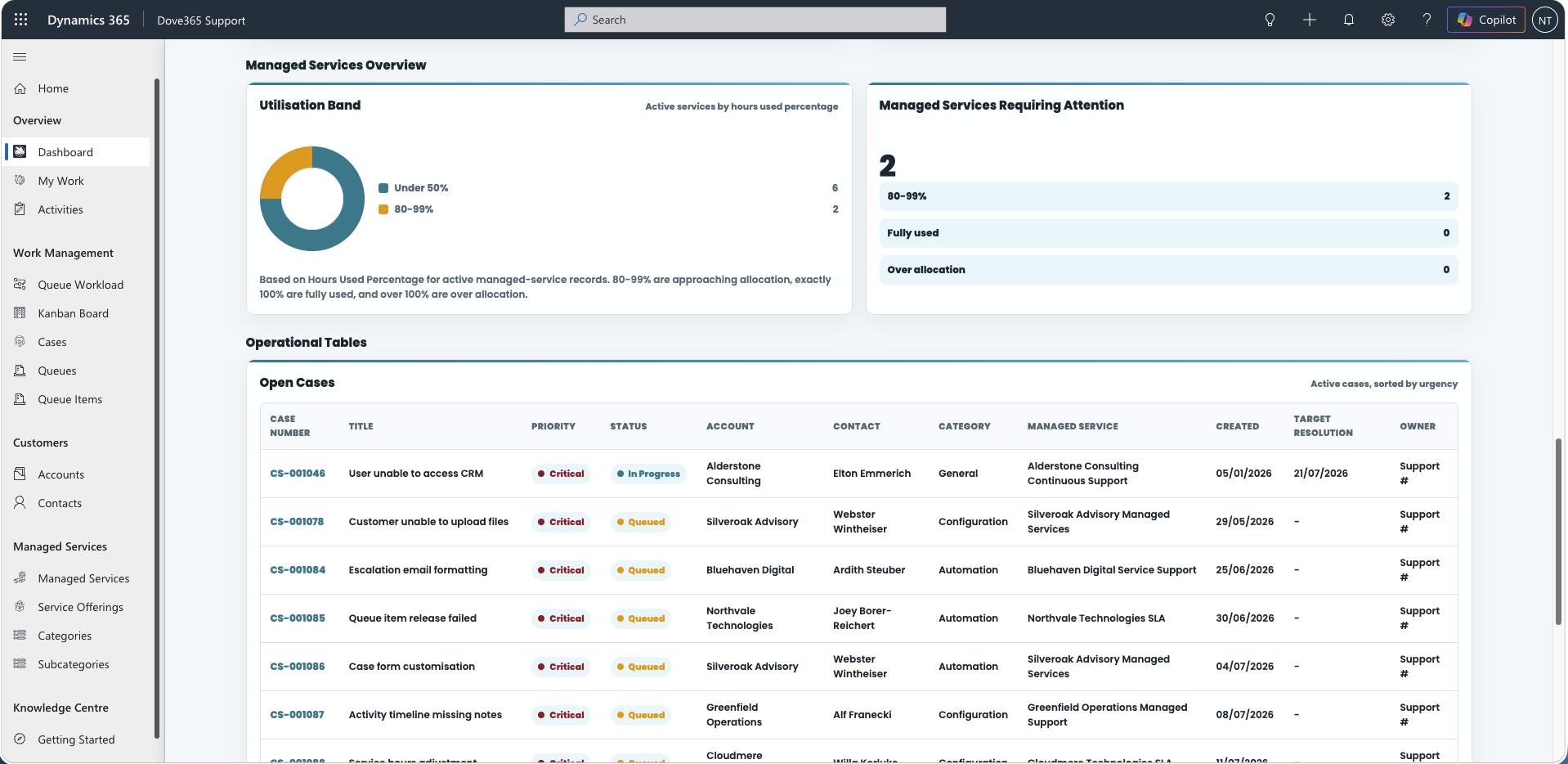
Daily Managed Service 80% Usage Threshold
This automation identifies Managed Services that are at or above 80 percent usage so teams can review support coverage before an allocation is exhausted.
- 80 percent or above means the allocation is approaching its limit.
- 100 percent means the allocation is fully used.
- More than 100 percent means the customer is over allocation.
Admin checks
Monthly allocation reset
The monthly reset automation clears or resets usage values for Managed Services in line with the organisation’s support agreement model.
Confirm the reset schedule
The reset should align with the commercial support period agreed with customers.
Check reporting expectations
Before changing the schedule, confirm what account managers expect to see in monthly reporting.
Validate after reset
After the reset runs, confirm current allocation, used hours, remaining hours, and usage percentage values are correct.
Aggregate Support Activity hours
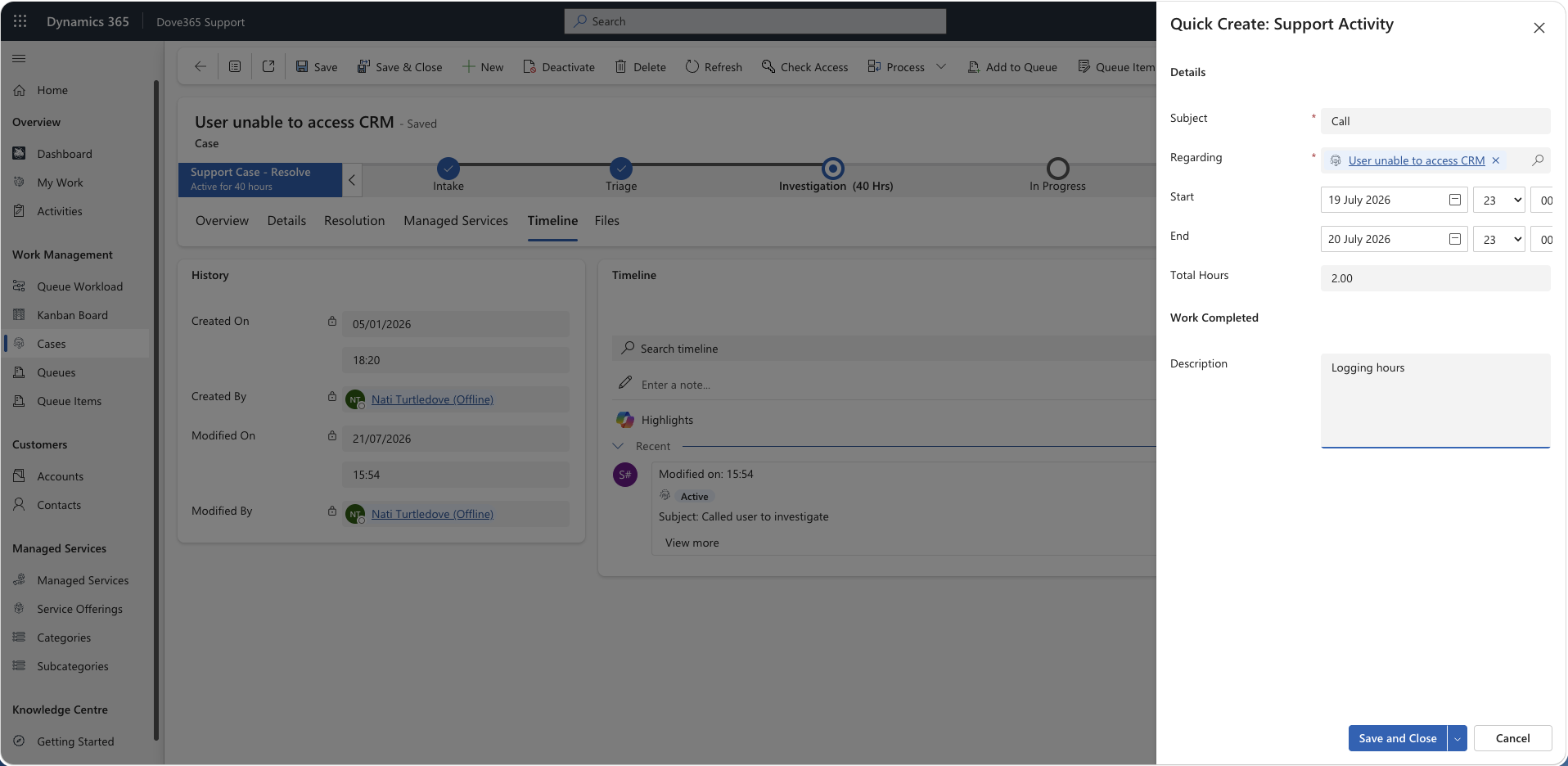
Support Activities are the time-based records used to record work performed against a Case. The aggregation process keeps Managed Service usage aligned with logged work.
- User logs a Support Activity against a Case, usually with the time tracker on the Case form.
- The Case is linked to the relevant Managed Service where applicable.
- The aggregation process updates used hours and remaining allocation.
- Dashboards and account review information reflect the latest usage position.
The Dove365.Support.Plugins.AggregateManagedServicesHours plugin owns this. It fires on Support Activity create, update, and delete, and recalculates Hours Used for each impacted Case that is flagged as managed-service related and holds a Managed Services lookup, rounded to the nearest quarter hour. No flow aggregates Support Activity time directly.
Review high-effort support work
Account managers should review managed service usage after escalated or high-effort support work. The review should focus on whether the logged Support Activities are accurate, whether the allocation remains appropriate, and whether the customer needs a usage conversation.
When usage does not look right
| Issue | Check |
|---|---|
| Usage does not change | Confirm Support Activities are linked to Cases and that Cases are linked to Managed Services. |
| Usage exceeds allocation | Review recent Support Activities and confirm whether over-allocation is expected or requires customer discussion. |
| Threshold alerts are missing | Check flow run history, Managed Service allocation values, and usage percentage calculations. |
| Reset happened unexpectedly | Confirm the schedule and commercial support period. |
Continue learning
Time Tracker
See how the Case form timer creates the Support Activities this rollup reads.
Need help with Dove365 Support automation?
Book a free call and get your questions answered directly by Dove365.