Product Overview
Understand what Dove365 Support is for, the records it uses, and how support work moves from intake to resolution.
What Dove365 Support does
Dove365 Support is a model-driven app for managing customer support work. It brings together customer records, managed service allocation, case handling, queues, support activities, dashboards, and automation so teams can see what work exists, who owns it, and how it is progressing.
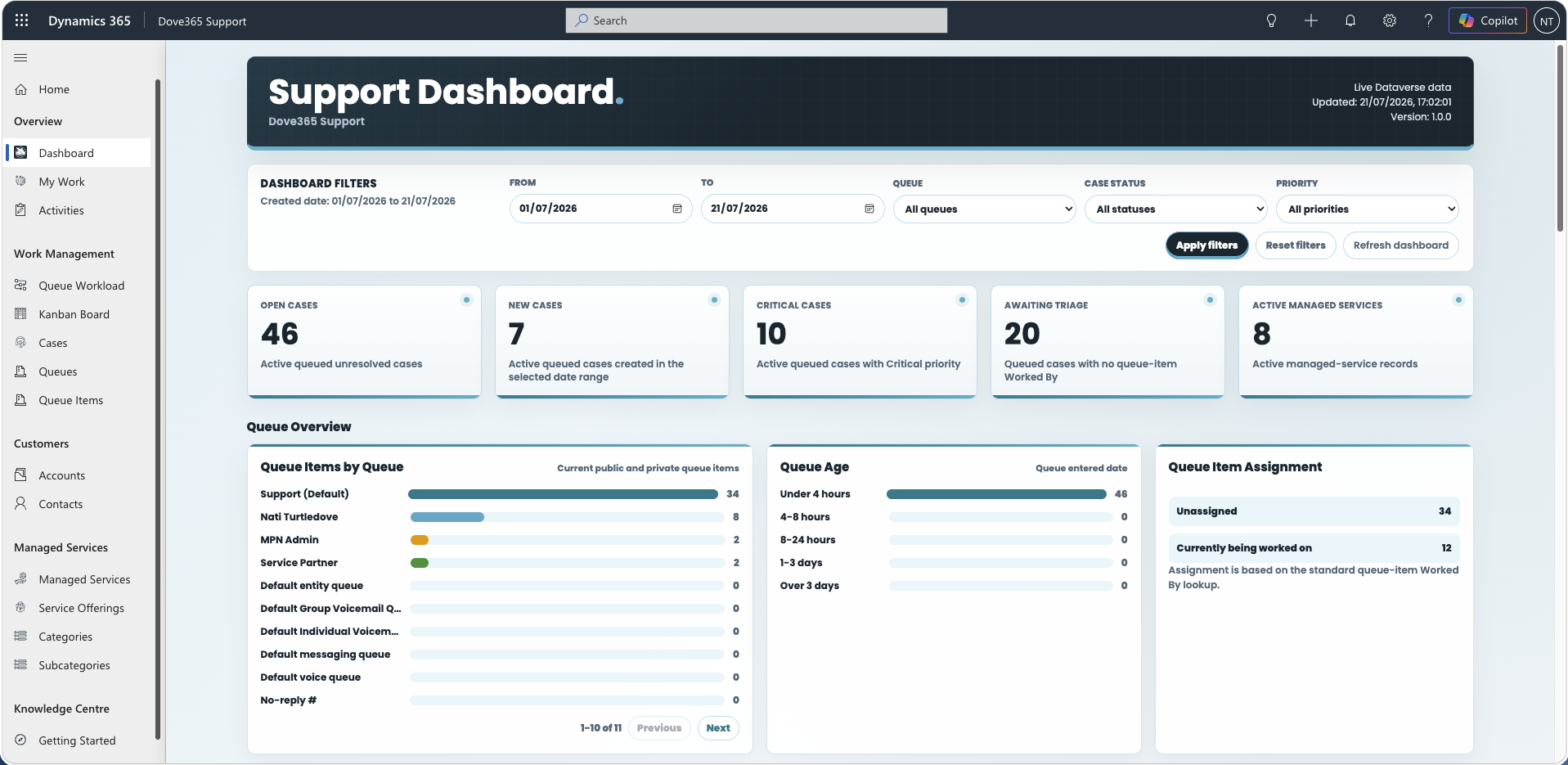
Main app areas
The app is organised around the areas users return to most often:
- Overview and dashboards
- Customers: Accounts and Contacts
- Service Delivery: Managed Services and Service Offerings
- Support: Cases, Queues, Queue Items, Categories, Subcategories, and Support Activities
- Work boards: Kanban Board and Queue Workload Board
Exact navigation can vary by security role. Most support users start from dashboards, then move into Cases, Queue Items, Accounts, Contacts, and Managed Services as needed.
Dashboards and boards
Dove365 Support gives you four ways to look at the same support work. Each answers a different question.
- Dove365 Support Dashboard — organisation-wide operational reporting: KPIs, queue volumes, queue age, case distribution, volume trends, and managed service utilisation.
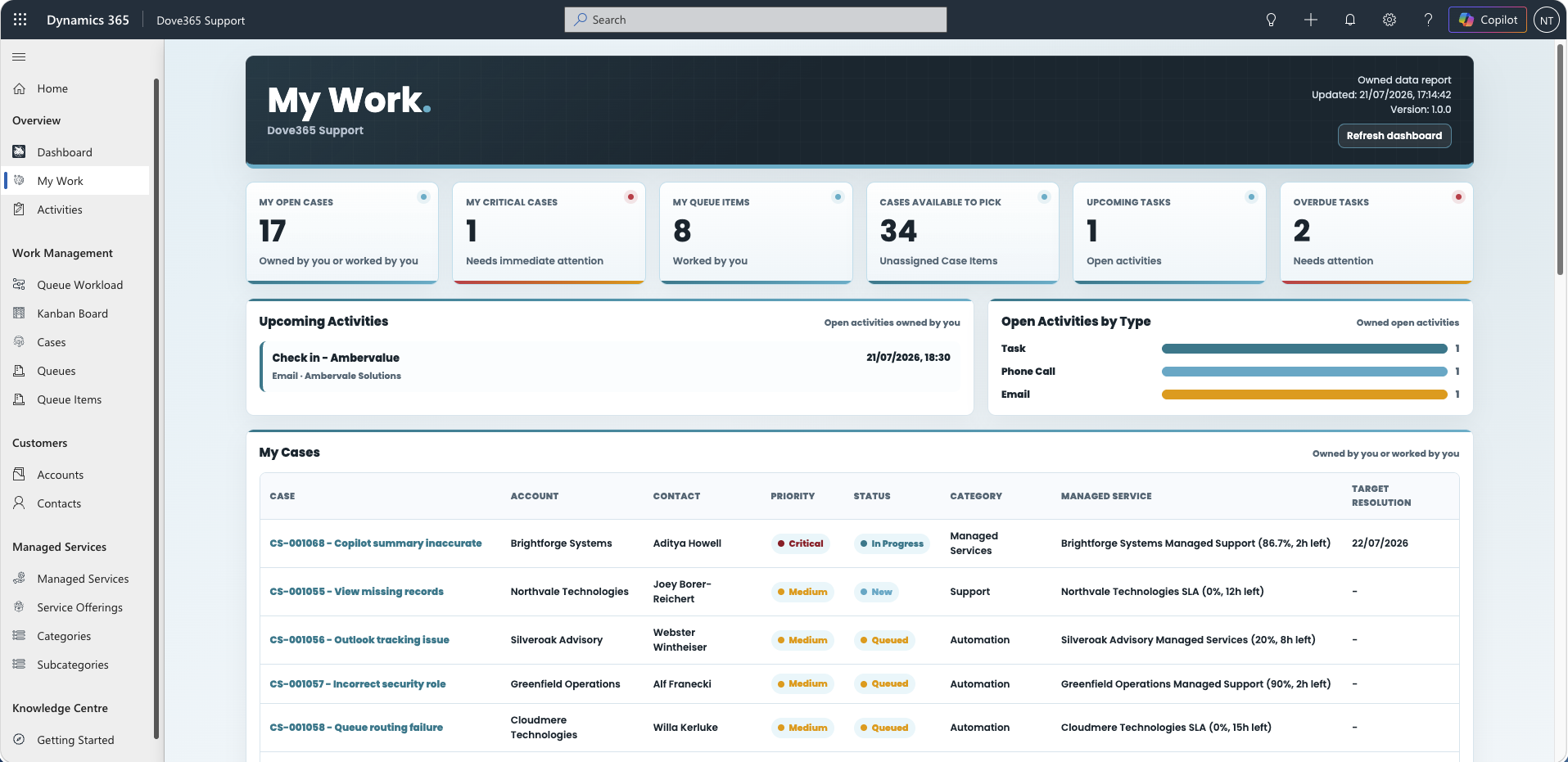
- My Support Work Dashboard — your own queue cases, worked queue items, activities, and exceptions.
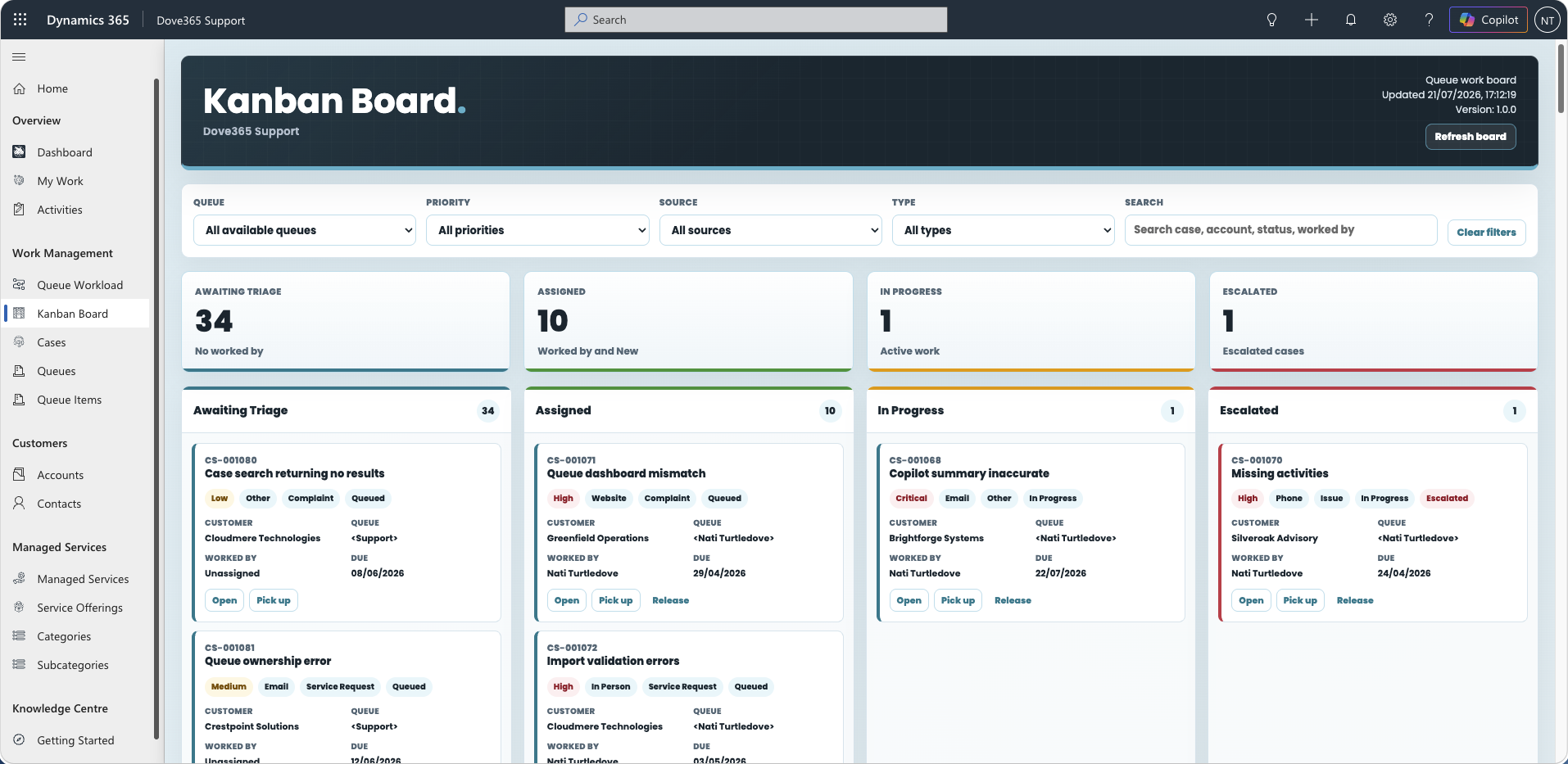
- Kanban Board — queue work grouped by support state, for picking up, assigning, progressing, releasing, and escalating Cases.
- Queue Workload Board — the same queue work grouped by who is carrying the load, for spotting overload and rebalancing.
Time is logged from the Case itself using the Support Activity Time Tracker, which writes a Support Activity and feeds Managed Service usage.
Core records
- Account: the customer organisation.
- Contact: the person at the customer.
- Service Offering: the service type selected on Cases and Managed Services.
- Managed Service: the support allocation or agreement.
- Case: the support request.
- Support Activity: time and activity logged against a Case.
- Queue: a work container.
- Queue Item: a Case placed into a Queue.
- Category and Subcategory: Case classification.
How work flows
- An Account and Contact exist or are created.
- A Managed Service may be created for the Account.
- A Case is created manually or from the support mailbox.
- The Case is assigned a Category, Subcategory, Service Offering, and Managed Service where applicable.
- The Case is added to a Queue.
- A user picks the Queue Item or begins working it, from a queue view, the Kanban Board, or the Queue Workload Board.
- The user logs Support Activities and time, usually with the time tracker on the Case form.
- Managed Service hours are updated.
- The Case is resolved and the customer is notified.
Best practice
- Keep Account and Contact data accurate.
- Always classify Cases.
- Pick Queue Items before working them.
- Log Support Activities promptly.
- Review Managed Service usage before committing additional work.
- Resolve Cases only when the customer issue is complete.
Continue learning
Daily Support Workflow
Follow the day-to-day flow for triage, queue work, cases, activities, and managed service checks.
Admin and Configuration
Open the related Dove365 Support guide for the next part of this workflow.
Need help with Dove365 Support configuration?
Book a free call and get your questions answered directly by Dove365.